Asyntai AI Agent for Google Chat
Add an assistant to your Google Workspace that answers staff questions from your own handbook, policies and website. One person connects it, and everybody at your company can ask.
The Policy Exists. Getting An Answer Out Of It Is The Problem.
Everything your team needs is written down somewhere nobody can find at half past four.
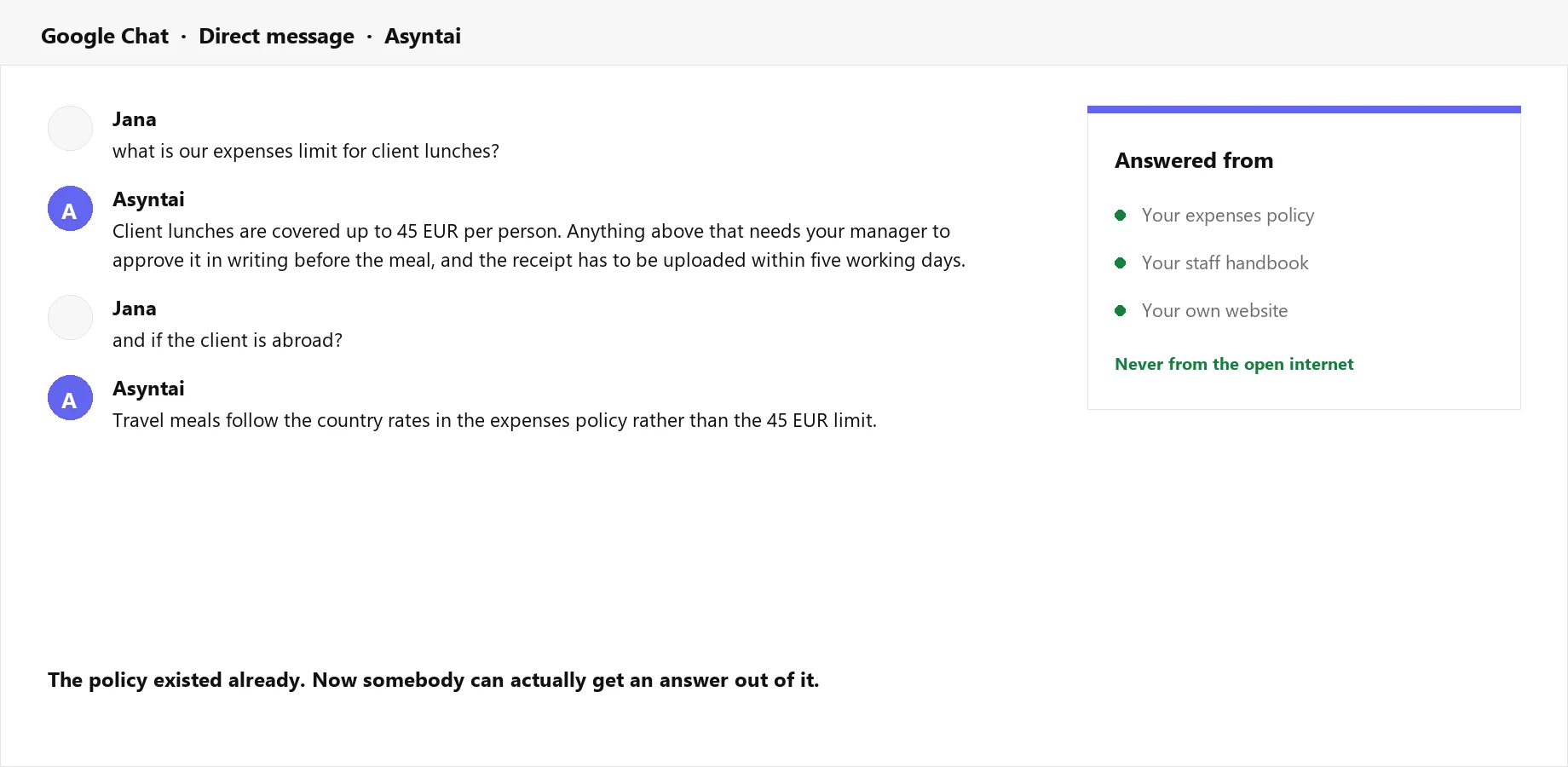
Ask It The Way You Would Ask A Colleague
Message the app in Google Chat and it answers from the documents you gave it — the expenses policy, the handbook, the product notes. Follow-up questions keep their context, so "and if the client is abroad?" is understood without repeating the whole question.
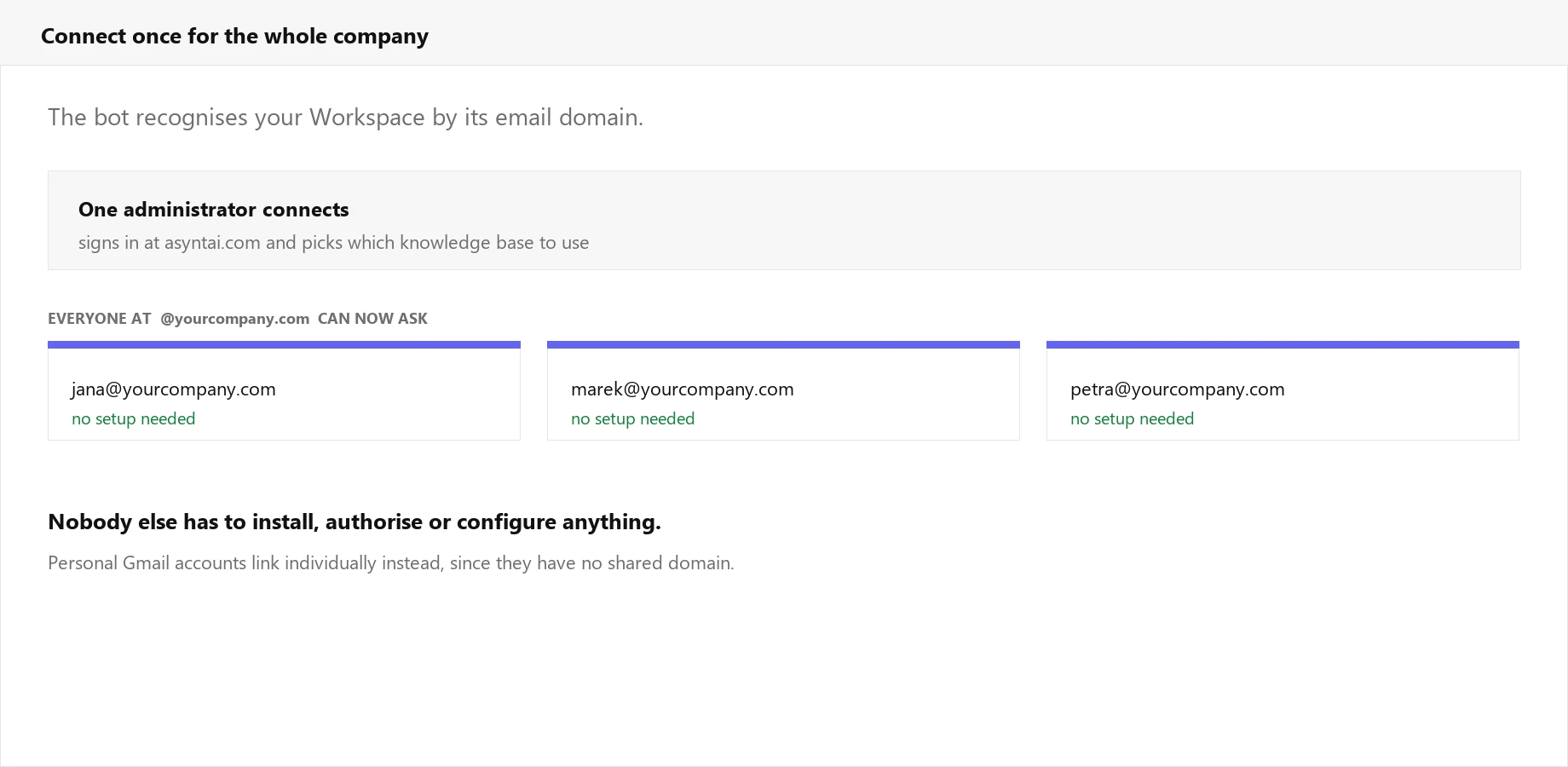
One Person Connects It, Everyone Gets It
The bot recognises your Workspace by its email domain, so a single administrator links it once and every colleague at that domain can start asking. Nobody else installs anything, authorises anything, or is handed a set-up guide.
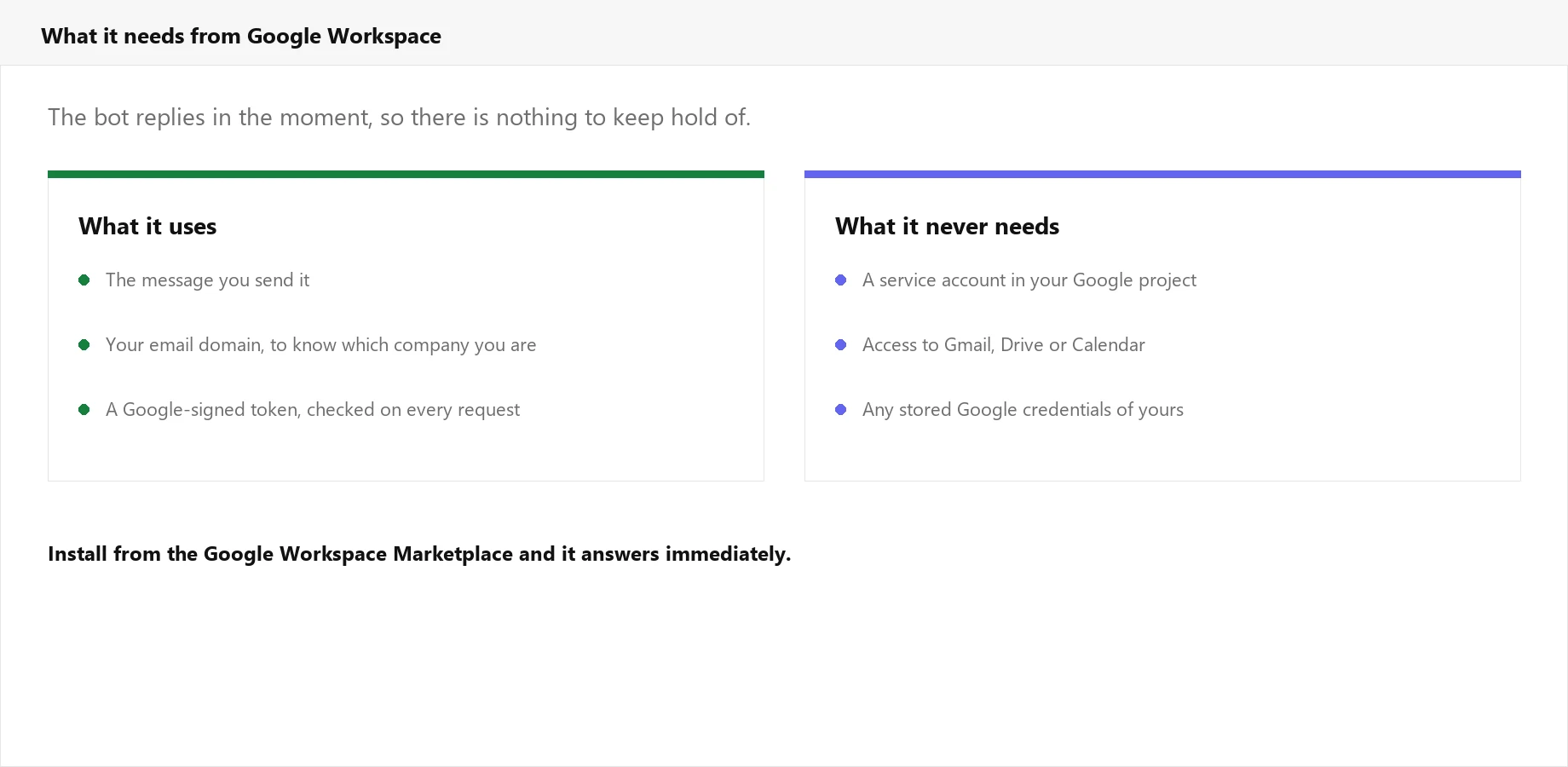
No Keys To Your Google Account
It replies in the moment the message arrives, so there is nothing to store. No service account in your Google project, no access to Gmail, Drive or Calendar, and no credentials of yours held anywhere. Every request Google sends is checked as genuinely signed by Google before it is answered.
Sized For A Workspace, Not A Pilot Project
Most internal assistants die because the setup is heavier than the problem.
Install From The Marketplace
Add it from the Google Workspace Marketplace the way you add any other app. There is no server to run and no Google Cloud project for you to configure.
Direct Messages And Spaces
Message it privately, or mention it in a space where a team already talks. Awkward questions get asked privately, which is usually where the honest ones live.
Knows Which Company Is Asking
Your email domain decides which knowledge base answers, so two companies using the app never see each other's content.
Answers From Your Material
Handbooks, policies, product documentation and your website. When your documents do not cover something, it says so rather than filling the gap with invention.
36 Languages
An office in Brno and an office in Lisbon ask in their own language and read the answer in it, from one set of English documents.
Available At Any Hour
Weekend shifts, early starts and colleagues in other time zones all get an answer without waiting for somebody in head office to wake up.
How It Works
Three steps, and only one person has to do them
Add Your Documents
Point Asyntai at your website and upload the material your team asks about — the handbook, the policies, the internal guides.
Install In Google Chat
Add the app from the Google Workspace Marketplace, then send it a message. It replies with a connect link.
Link Your Company Once
Follow that link, sign in to Asyntai and choose which knowledge base to use. Everyone at your email domain can ask from that moment.
What Reaches Asyntai, And What Does Not
Google sends the app only the messages that involve it: direct messages, and mentions in spaces it has been added to. Conversations elsewhere in your Workspace are never forwarded. The app holds no Google credentials at all, because it answers inside the request Google makes rather than calling back into your account afterwards.
- ✓ Direct messages and mentions only
- ✓ No Gmail, Drive or Calendar access
- ✓ Every request verified as signed by Google
- ✓ Remove the app and it stops at once
Install, message the bot, follow the connect link — that is the whole setup
Simple, Transparent Pricing
Answers in Google Chat come out of the same message allowance as everything else, and there is no extra charge for the Workspace app.
What Changes For Your Team
The written rules start being followed, because they can finally be found
One Answer, Not Six Opinions
Ask six colleagues about the expenses limit and you get six answers. Asking the documents gets the same answer every time, whoever is asking.
Nobody Feels Silly Asking
People will ask a bot things they would not ask a manager twice. That is precisely how a new starter learns the parts nobody thought to write in the onboarding notes.
You Find Out What Is Missing
When the assistant cannot answer, it says so — and that is a list of the things your documentation should cover but does not.
Frequently Asked Questions
What Workspace administrators ask before rolling it out
Let Your Documents Answer For Themselves
Add Asyntai to Google Chat and give your team one place to ask.