Asyntai AI Chatbot for Pipedrive
Your chatbot talks to visitors while you sleep. This puts their details in Pipedrive before you wake up. Every email or phone number the chat captures becomes a person in your CRM and a lead waiting in your Leads inbox.
From Conversation To CRM
A chat transcript nobody reads is not a lead. A person in Pipedrive is.
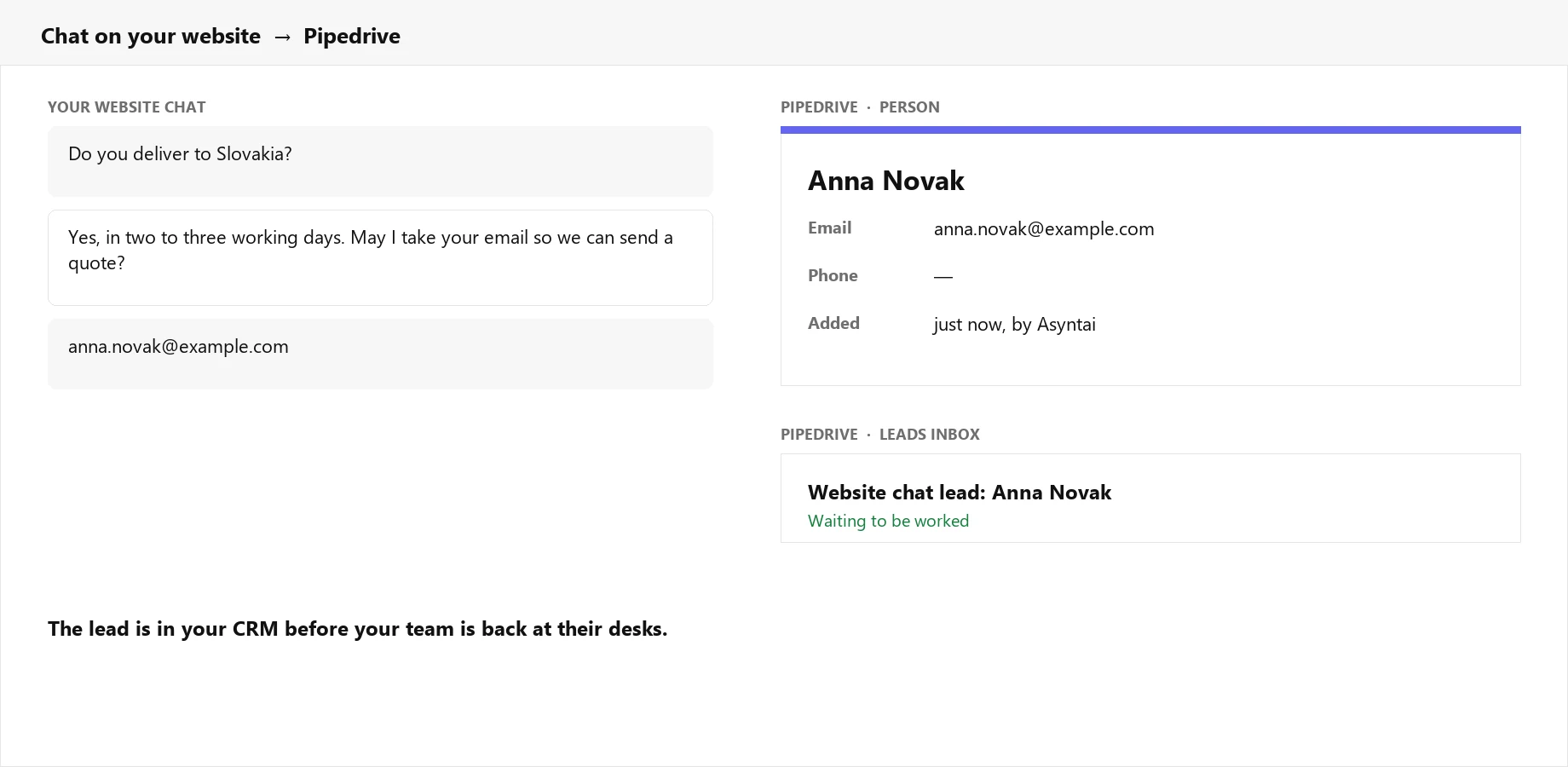
Captured At Two In The Morning, Filed By Two Past
When the chat gets an email address or a phone number, that visitor becomes a person in Pipedrive straight away, with a lead titled "Website chat lead" sitting in your Leads inbox. Nobody has to copy anything across in the morning.
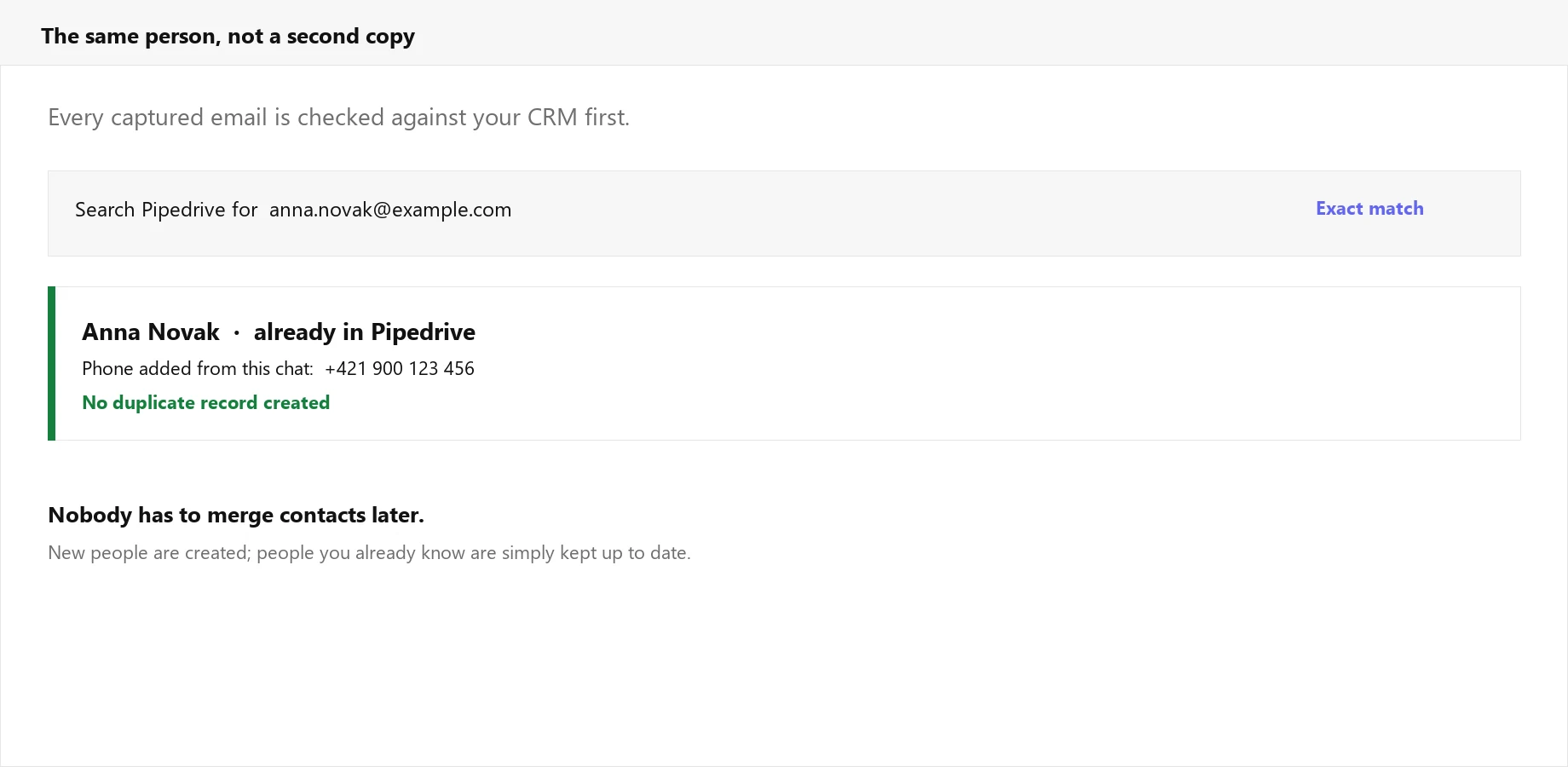
It Checks Before It Creates
Every captured email is searched against your CRM first. A customer who chats again is recognised, and if the chat picked up a phone number you did not have, it is added to the record you already own. No second Anna Novak to merge next quarter.
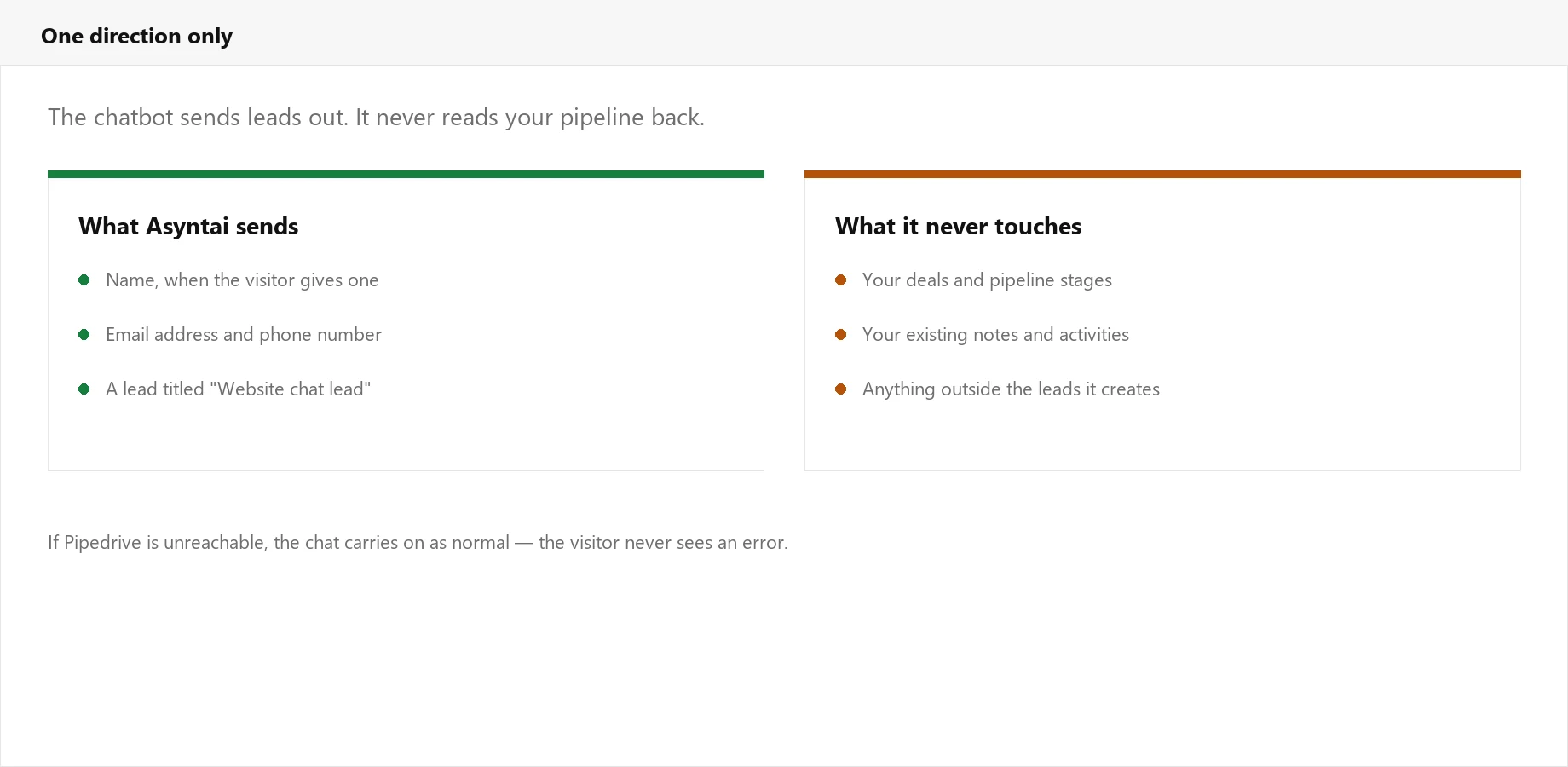
One Direction Only
The chatbot writes leads into Pipedrive and reads nothing back. Your deals, stages, notes and activities are untouched. If Pipedrive is unreachable for a moment, the chat carries on as normal and the visitor never sees an error.
Built For Sales Teams Who Hate Admin
The point of a CRM is that everything is in it. This closes the gap between your website and your pipeline.
Connect With One Click
Authorise Pipedrive and you are done. No API keys to copy, no fields to map, no integration platform in the middle taking a cut.
Duplicate Free
Emails are matched exactly against your existing people before anything is created. Returning customers update their record rather than cloning it.
Lands In Your Leads Inbox
New people arrive with a lead attached, so they show up where your team already looks instead of sitting quietly in contacts.
Works Through The Night
Most website visits happen outside office hours. The chatbot answers then, and the lead is waiting for you at nine the next morning.
Never Breaks A Conversation
The CRM push runs quietly behind the chat. If Pipedrive is slow or down, the visitor still gets their answer and nothing is lost from the reply.
Any Language, Same Result
The chatbot speaks 36 languages, and a lead captured in Portuguese arrives in Pipedrive exactly like one captured in English.
How It Works
Three steps, and no work for whoever owns your CRM
Add The Chatbot
Put the Asyntai widget on your website and point it at your content, so it can answer questions about what you actually sell.
Authorise Pipedrive
Click connect and approve the permissions. Asyntai asks only for contacts and leads, nothing wider.
Work The Leads
From then on, every email or phone number the chat captures appears in Pipedrive by itself, ready for your team to pick up.
Exactly What Reaches Your CRM
A person is created with the name the visitor gave, their email address and their phone number if the chat captured one. A lead is filed alongside it so the contact is actionable. That is the whole of it — no transcripts dumped into notes, no custom fields invented, nothing read back out of your pipeline.
- ✓ Works with any Pipedrive plan that allows apps
- ✓ Contacts and leads permissions only
- ✓ Existing people are updated, never duplicated
- ✓ Disconnect at any time, from either side
Authorise once and leads start arriving on their own
Simple, Transparent Pricing
The Pipedrive connection costs nothing extra. You pay for the chatbot, and every plan includes it.
What Changes For Your Sales Team
Fewer lost enquiries, and less copying between tabs
Follow Up While It Still Matters
Someone who asked about delivery last night is worth calling today. If the lead only surfaces when a person reads the transcripts, that moment has usually gone.
A CRM Worth Trusting
Duplicate contacts are how sales teams stop believing their own data. Matching on email before creating anything keeps the database usable.
No More Retyping
Nobody has to read chat logs and type names into Pipedrive by hand, which is the sort of task that quietly stops happening after the second week.
Frequently Asked Questions
What sales teams ask before connecting their CRM
Put Your Chat Leads Where Your Team Works
Connect Pipedrive in a couple of minutes and let this week's enquiries file themselves.